Free tool · YouTube transcript
YouTube transcript: get the text of a YouTube video
Paste a YouTube link. You get the start of its transcript, with timestamps, plus a one-sentence summary.
- Free
- No sign-up
- Videos with captions
Works with YouTube videos that have captions. Shows the first part of the transcript. A quick Cloudflare check keeps bots out. Privacy
How to get the transcript of a YouTube video
Three steps, on a phone or a computer. Nothing to install.
-
0:01
Copy the link
In the YouTube app, tap Share, then Copy link. On a computer, copy the address of the video page.
-
0:02
Paste it here
Paste the link in the box above and tap Get transcript. Cloudflare checks that you’re not a bot.
-
0:03
Read the preview
You see the title, a one-sentence summary, the first key point and the first part of the transcript. Each timestamp opens the video at that second on YouTube.
What you get here, and what you get in the app
This page and the MarkerShelf app show different previews. Here is what each one gives you.
This page (web preview)
- The first part of the video’s captions, with timestamps
- A one-sentence summary and the first key point
- YouTube videos with captions only
- Free, with a limit on previews per hour

MarkerShelf app (iPhone and iPad)
- Free and Marker plans: the first 30 seconds of the transcript and the first sentence of the summary
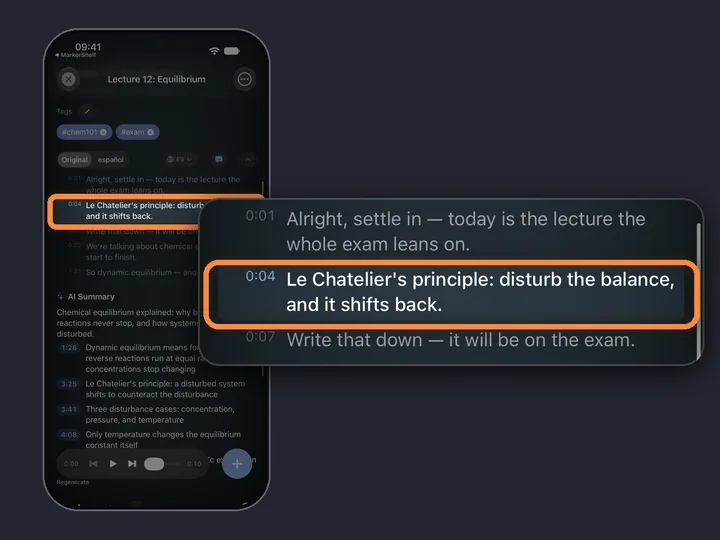
- Pro: the full transcript and the full summary, with timestamps you can tap
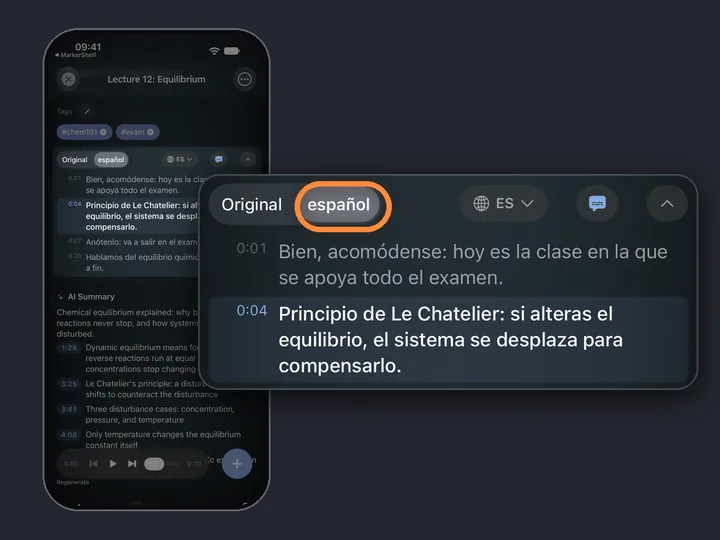
- Pro: translation of the transcript and the summary
- Videos without captions: the app makes a transcript from the audio
- YouTube, TikTok, Instagram, Facebook, X and LinkedIn, and your own videos
Pro has a 7-day free trial on the yearly plan.
iPhone and iPad · MarkerShelf
The whole video, in the app
MarkerShelf is an iPhone and iPad app for keeping the moments that matter in a video. With Pro you get the full transcript, the full summary and translation, and you can copy the transcript.
Save a marker at any second with a note, and jump back to it later.
Questions
About the YouTube transcript tool.
Which YouTube videos work?
Public YouTube videos that have captions, made by the creator or by YouTube. This page reads those captions. It does not listen to the audio. Private or removed videos don’t work.
What about videos without captions?
This page can’t make a transcript for them. The MarkerShelf app can: it makes a transcript from the video’s audio, on iPhone and iPad. It can also show that text as subtitles over the video.
Is the YouTube transcript tool free?
Yes. It is free and needs no sign-up. There is a limit on previews per hour. In the MarkerShelf app, the Free and Marker plans show the first 30 seconds of a transcript and the first sentence of the summary. Pro shows the full transcript and summary. Pro has a 7-day free trial on the yearly plan.
What do you store?
Nothing about you. We cache the transcript preview per video, so the next person who asks for the same video gets it from the cache. We don’t keep who asked. Cloudflare Turnstile checks that you’re not a bot. Your IP address is used only for the hourly limit, kept in memory and not stored. See the privacy policy.
Can I get a transcript of a TikTok or Instagram video?
Not on this page: it works with YouTube links only. The MarkerShelf app makes transcripts of TikTok, Instagram, Facebook, X and LinkedIn videos, and of your own videos. See how for TikTok and Instagram.
Can I download or export the transcript?
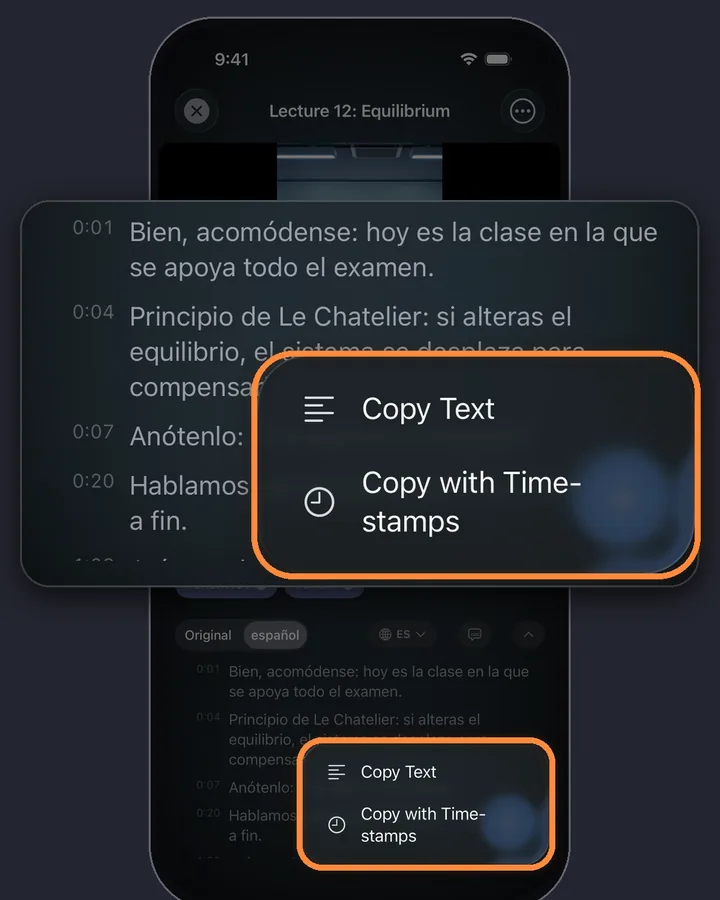
There is no download on this page. In the MarkerShelf app, exports hold your markers with their timestamps and notes, not the transcript. With Pro you can copy the transcript, with or without timestamps, and paste it anywhere.
Why do I only see the first part?
This page is a preview. It shows the first part of the captions, a one-sentence summary and the first key point. The full transcript and summary, translation and markers are in the MarkerShelf app.