Guide · TikTok transcript on iPhone
How to transcribe a TikTok video to text
TikTok captions pass by with the video, and many TikToks have none. Here is how to get the words as text on your iPhone, with a time on every line.
Free to try on iPhone and iPad. Full transcripts with Pro.
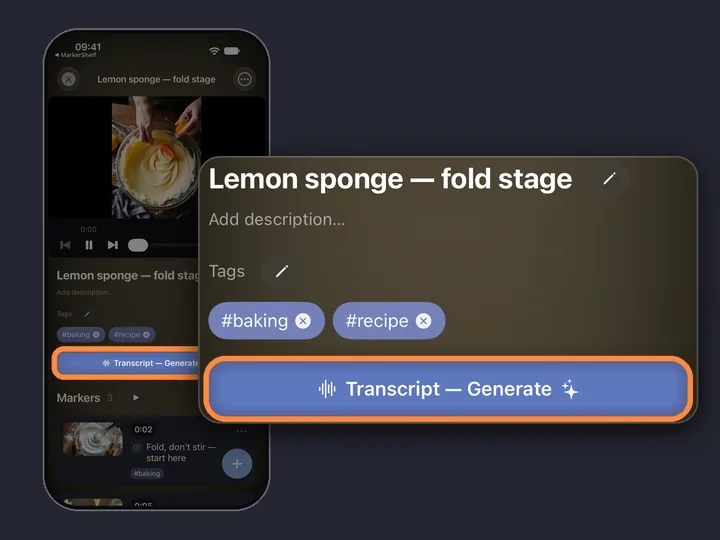
- 0:01Share the TikTokto MarkerShelf
- 0:02Tap GenerateTranscript — Generate
- 0:03Read alongtap a line to jump
Short answer: Share the TikTok to MarkerShelf, open it and tap Transcript — Generate. MarkerShelf turns the speech into text, so you can transcribe a TikTok video to text even when it has no captions. The free plan shows the first 30 seconds; the full transcript needs Pro.
 By App Labs, the makers of MarkerShelfUpdated
Transcribe a TikTok video on iPhone, step by step
Three taps on your iPhone. You need MarkerShelf and a public TikTok.
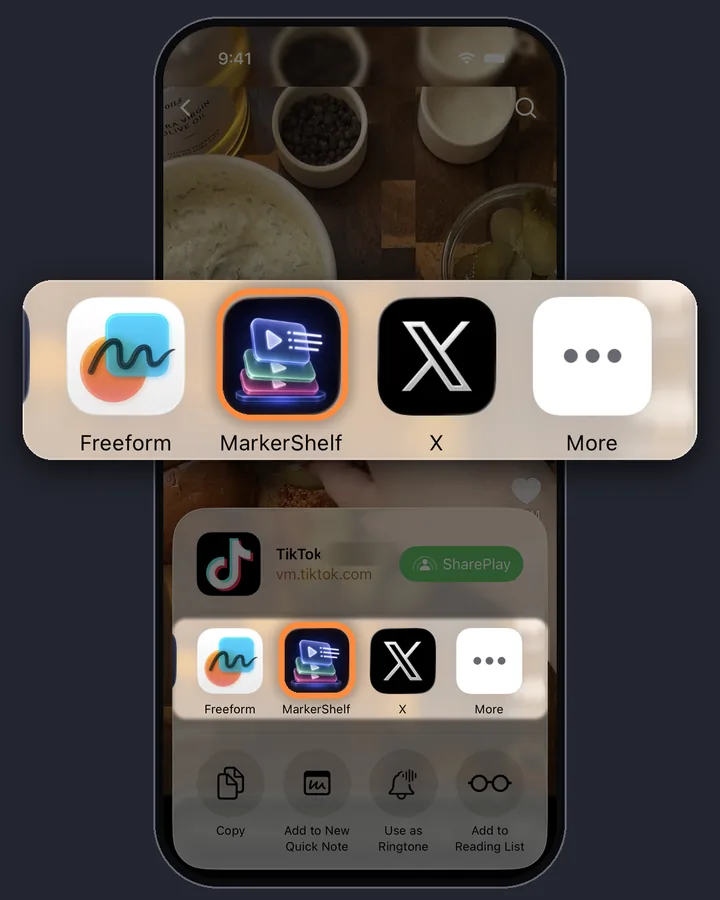
0:01Step 1 of 3
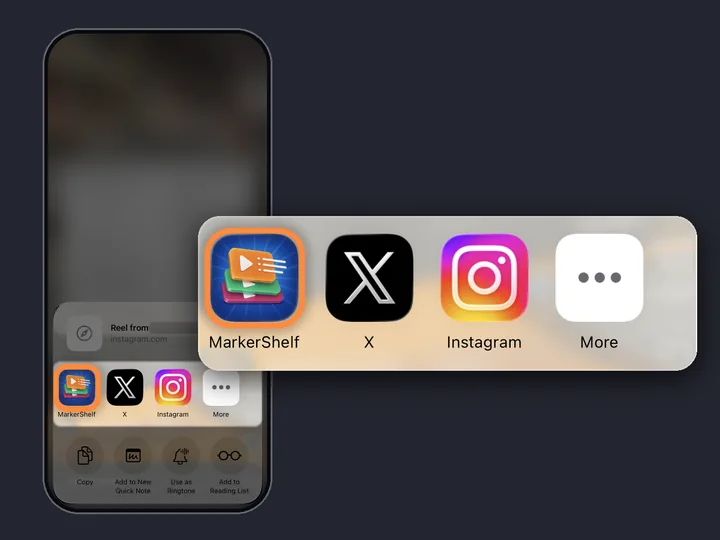
Share the TikTok to MarkerShelf
Open the video in TikTok and tap Share. Pick MarkerShelf in the iPhone share sheet; if it is not in the row of apps, scroll to the end and tap More. The video lands in your MarkerShelf library.
Or copy the link. Tap Copy link in TikTok, then tap + in your MarkerShelf Library and paste it in the Add Video sheet.
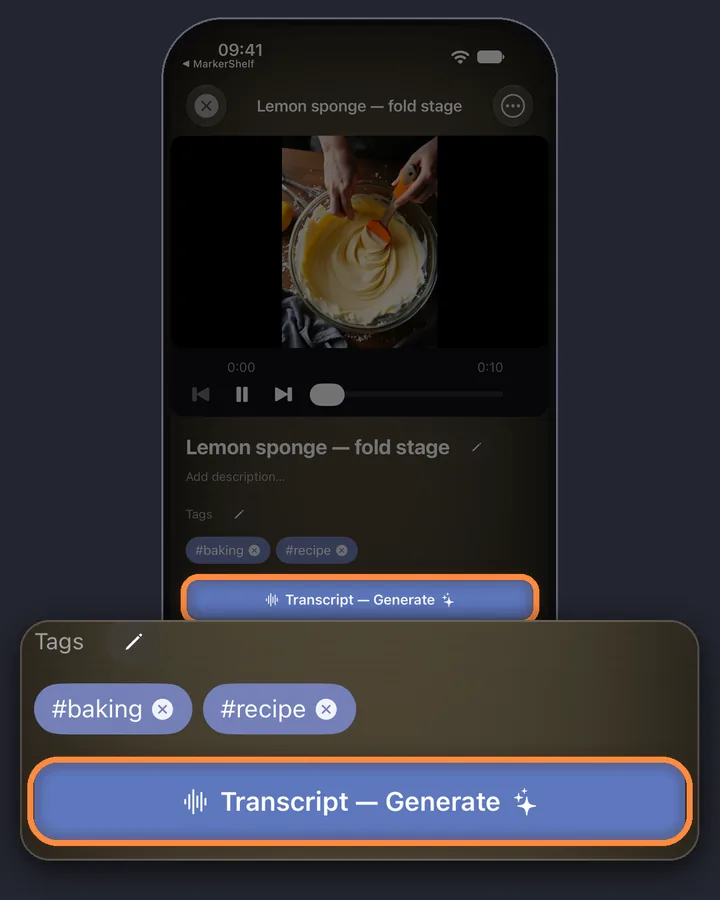
0:02Step 2 of 3
Tap Transcript — Generate
Open the video in MarkerShelf and tap Transcript — Generate. TikTok videos always go through speech-to-text, so it does not matter whether the creator turned captions on. The language is detected for you.
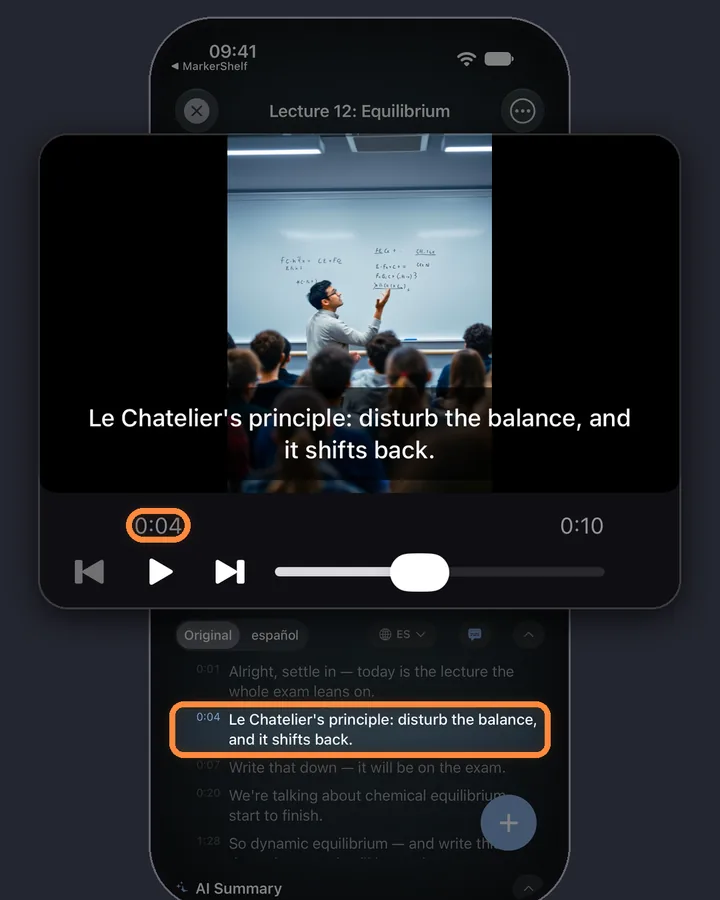
0:03Step 3 of 3
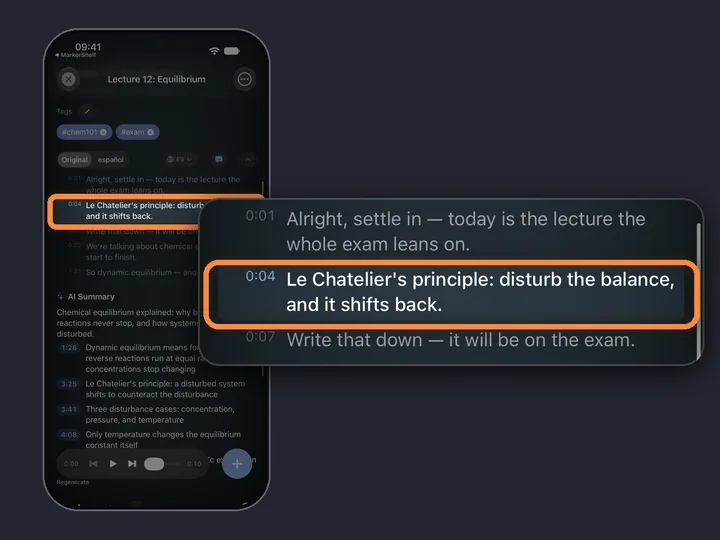
Read along and tap a line to jump
Every line has a time. The transcript follows the video and highlights the line being said. Tap any line and the video plays from that second.
MarkerShelf for iPhone and iPad
Never lose a moment in a video again.
Turn TikToks into text you can read, search and come back to. Also for Instagram, YouTube, Facebook, X and LinkedIn.
Free to start. No account needed.

TikTok's own captions vs a transcript
TikTok has auto captions. Creators can turn them on when they post, and on videos that have them, the words appear on screen while the video plays. For watching with the sound off, that is often enough.
TikTok's captions
- Help when you watch with the sound off
- Pass by on screen while the video plays
- Only there when the creator turned them on
A transcript in MarkerShelf
- All the words at once, with times
- Read at your own pace, scroll back and search later
- Made from the audio, so TikTok's captions aren't needed
What about free TikTok transcript websites?
There are websites where you paste a TikTok link and get text back. For a one-off on a computer they can do the job. Before you rely on one, check what it does with videos that have no captions and whether it asks you to sign up.
MarkerShelf works from the share sheet on the phone you watch TikTok on and keeps the transcript with the video. It saves the link, not the video file.
Limits to know
Public posts only. Videos from private accounts, posts that need you to sign in and live streams don't work.
Up to 3 hours per video. Most TikToks are far shorter.
No video file. MarkerShelf does not download TikTok videos. They play from TikTok.
The transcript stays in the app. There is no transcript file export.
Speech-to-text is good, not perfect. Names, slang and clips with loud music can come out wrong, so check a quote before you use it.
Instagram, Facebook, X and LinkedIn work the same way
Instagram and Facebook videos also always go through speech-to-text. YouTube, X and LinkedIn use the video's own captions when it has them, and speech-to-text when it doesn't. Read how to get an Instagram Reel transcript or how to get a YouTube transcript on iPhone.
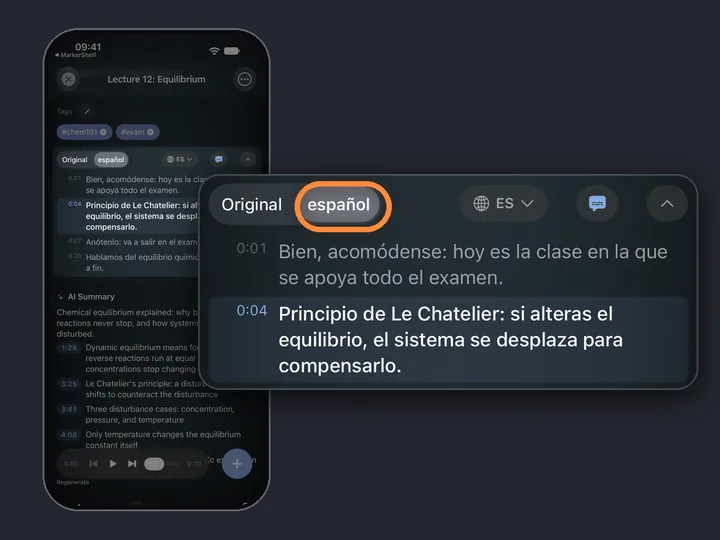
What else: with Pro you can turn the transcript into a short summary or read it in your language. See the AI video summarizer.
- YouTube
- TikTok
- X
- Photos
- Files
Pricing
Start free. Upgrade when the free limits get in your way.
Free
$0
No account needed
- 10 videos
- 3 markers per video
- 5 tags
- 1 collection
- Search titles, notes & tags
- Transcript, summary & translation previews
Marker
$2.99/mo
Unlimited bookmarking
- Unlimited videos
- Unlimited point markers
- Unlimited tags
- 1 collection
- Text export
- 3 range markers per video
Pro
Annual
Save 40%$4.17/mo
$83.88 $49.99/yr billed annually
or $6.99/mo monthly (no trial)
- Everything in Marker
- Unlimited range markers, loops & collections
- Full transcripts, AI summary, word search & translation
- PDF, Markdown & text export
App Store prices for United States, checked Oct 20, 2026.
Questions
About TikTok transcripts in MarkerShelf.
Can you get a transcript of a TikTok video?
Yes. On iPhone, share the TikTok to MarkerShelf and tap Transcript — Generate. MarkerShelf writes the transcript from the speech, with a time on every line. The video must be a public post, up to 3 hours long.
Does it work if the TikTok has no captions?
Yes. MarkerShelf always transcribes TikTok videos with speech-to-text, so it does not need the creator's captions.
Is the TikTok video downloaded?
No. The video plays from TikTok. MarkerShelf saves the link and the transcript.
Is it free to transcribe a TikTok?
You can try it free with no account: each video shows the first 30 seconds of its transcript. The full transcript needs Pro: $6.99 a month, or $49.99 a year with a 7-day free trial.
Turn your next TikTok into text.
Turn TikTok, Instagram, YouTube, Facebook, X and LinkedIn videos into text, on iPhone and iPad.