 MarkerShelf
Guides · 7 step-by-step guides
Video guides for iPhone
The short answer first, then the steps. Free options are shown first.
Get the text
3 guides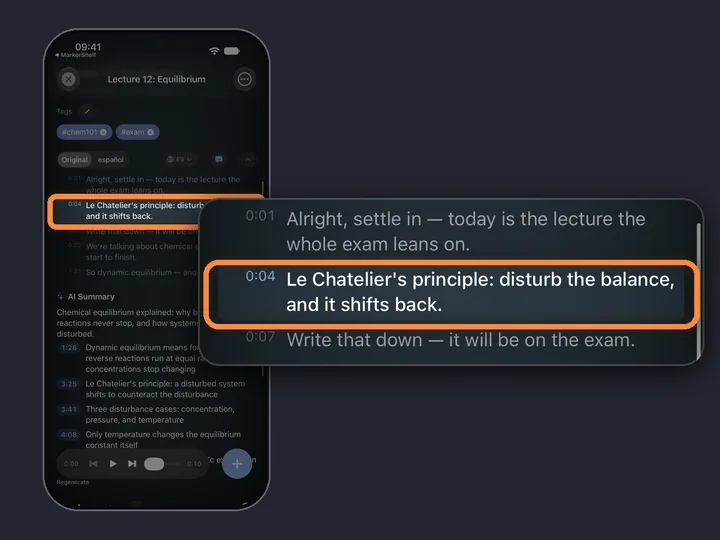
Guide YouTube
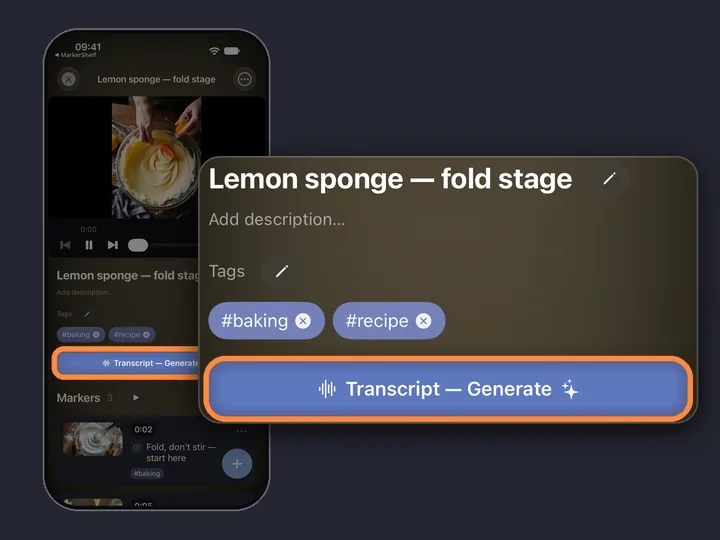
How to get a YouTube transcript on iPhone
Three ways compared, including videos that have no captions at all.
- 1The YouTube appShow transcript · free, needs captions
- 2A free transcript websitecopy the text · needs captions
- 3MarkerShelfeven when there are no captions
Guide TikTok
Transcribe a TikTok video to text
Share a TikTok to MarkerShelf and get the transcript, even when it has no captions.
Guide Instagram
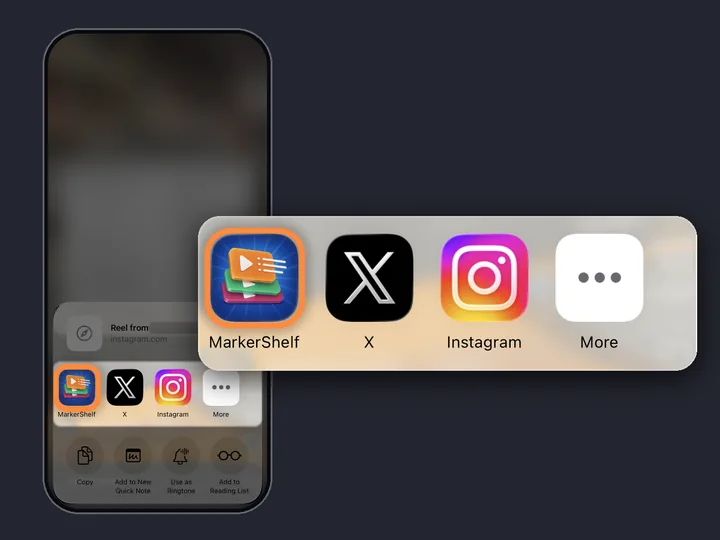
Get an Instagram Reel transcript
Turn a public Reel into text on iPhone, even when it has no captions.
Save moments and notes
3 guides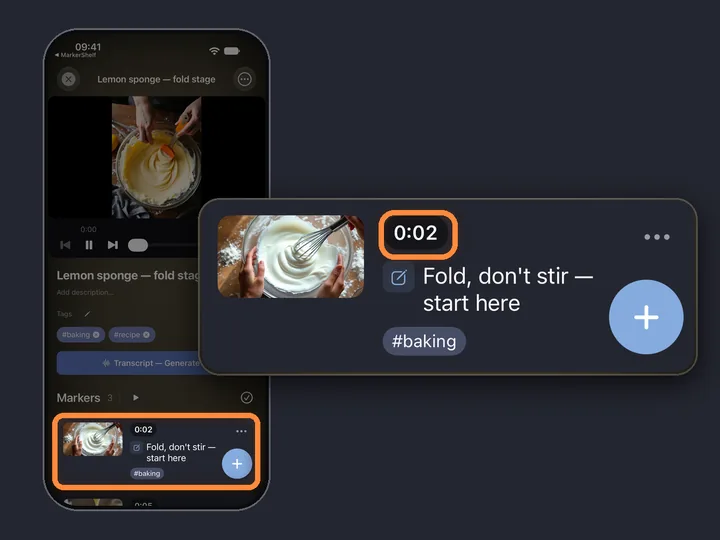
Guide YouTube
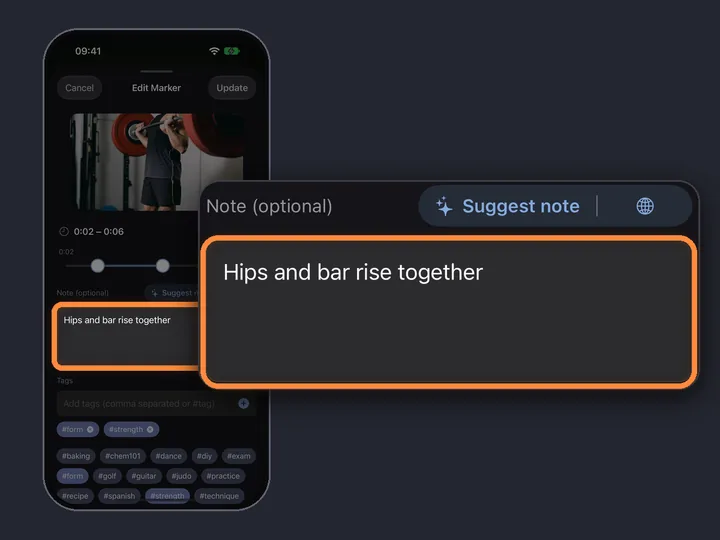
Bookmark a YouTube video at a specific time
Save the exact second with a note, and jump back to it in one tap.
Guide YouTube
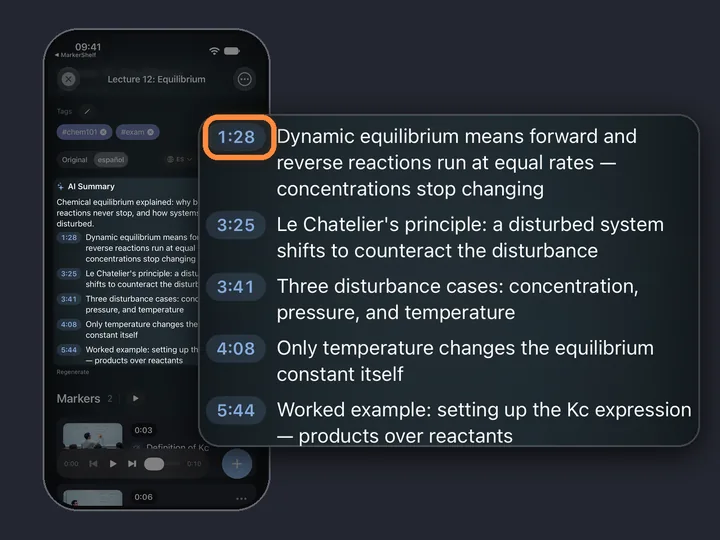
How to take notes on YouTube videos
Timestamped notes that jump back to the moment, on paper, in a notes app or in a video notes app.
Guide YouTubeYour recordings
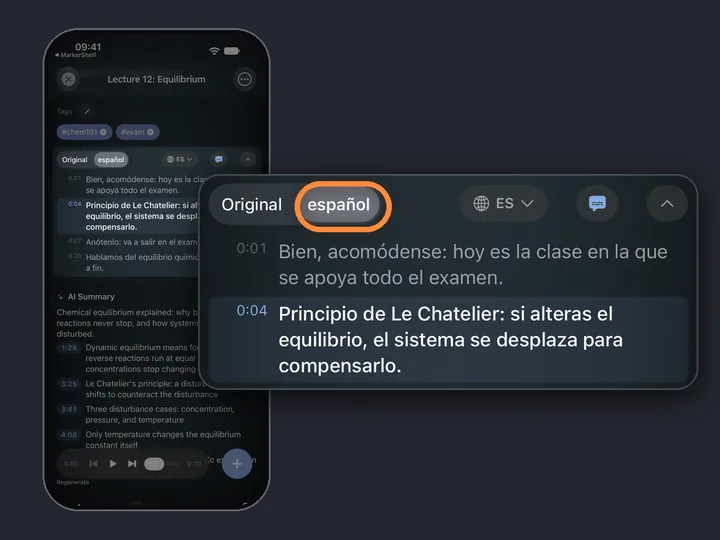
Turn lecture videos into notes
Transcript, AI summary with timestamps and markers for exam topics, on iPhone.
MarkerShelf for iPhone and iPad
Never lose a moment in a video again.
Save the moment, get the transcript and the summary, for YouTube, TikTok, Instagram, Facebook, X and LinkedIn videos.
Free to start. No account needed.
