Guide · Students
Turn lecture videos into notes on iPhone
A 90-minute recorded lecture is easy to save and hard to study from. Here is how to get the full text, a short summary with timestamps, markers for exam topics, and a way to find any sentence again.
Free preview on every lecture. Full transcript and summary with Pro.
- 0:01Add the lecturea YouTube link or a recording
- 0:02Transcribe itthen Summarize with AI
- 0:04Mark the exam topicstap + and add a tag
Short answer: Add the lecture to MarkerShelf (a YouTube link or a recording from Files or Photos), tap Transcript — Generate, then Summarize with AI. You get the full transcript, a one-sentence TL;DR with 3 to 6 key points you can tap to jump to, and your own markers with notes for the parts that will be on the exam. With Pro you can search every lecture by what was said.
 By App Labs, the makers of MarkerShelfUpdated
The workflow: from lecture video to notes
These steps use MarkerShelf on iPhone; the app also runs on iPad, and everything syncs through iCloud.
0:01Step 1 of 6
Add the lecture
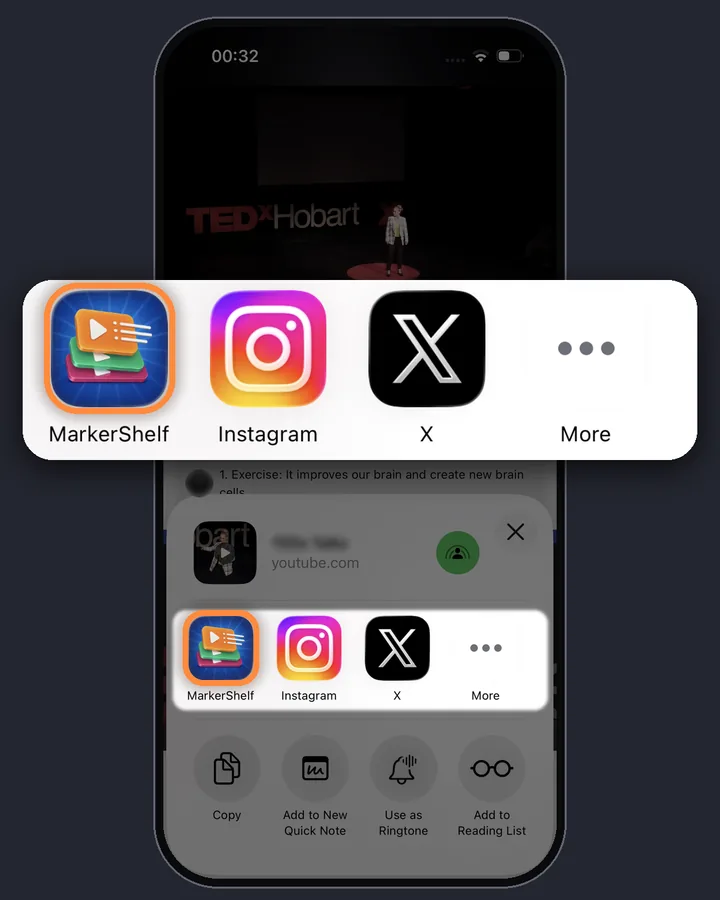
If the lecture is on YouTube, share it to MarkerShelf from the YouTube app, or tap + in your Library and paste the link in the Add Video sheet. If you have the recording as a file, tap + and pick it from Photos or Files. Lectures posted publicly on TikTok, Instagram, Facebook, X or LinkedIn work too.
0:02Step 2 of 6
Get the transcript
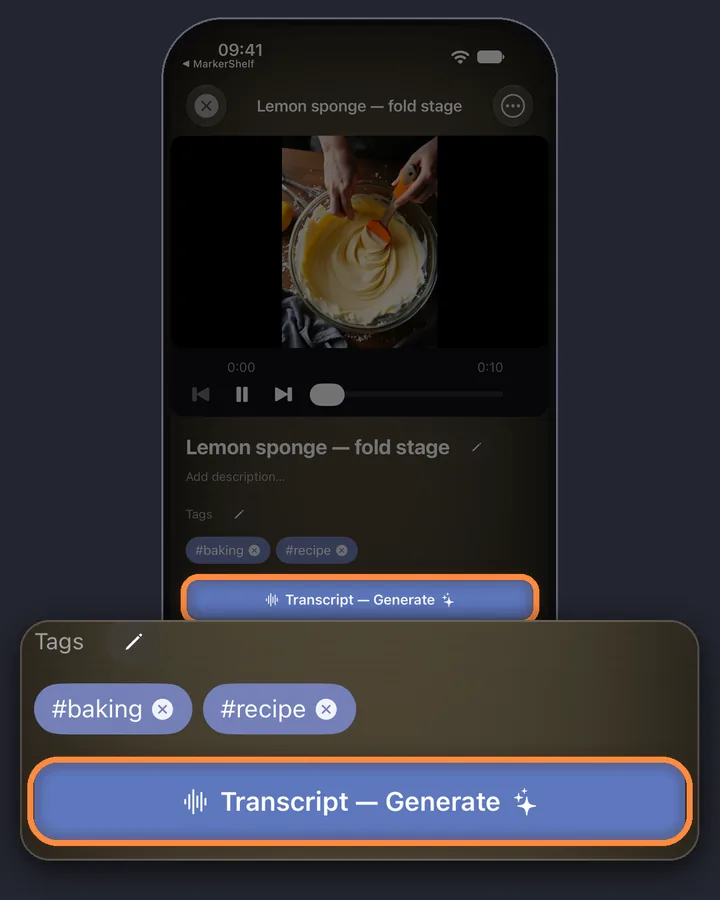
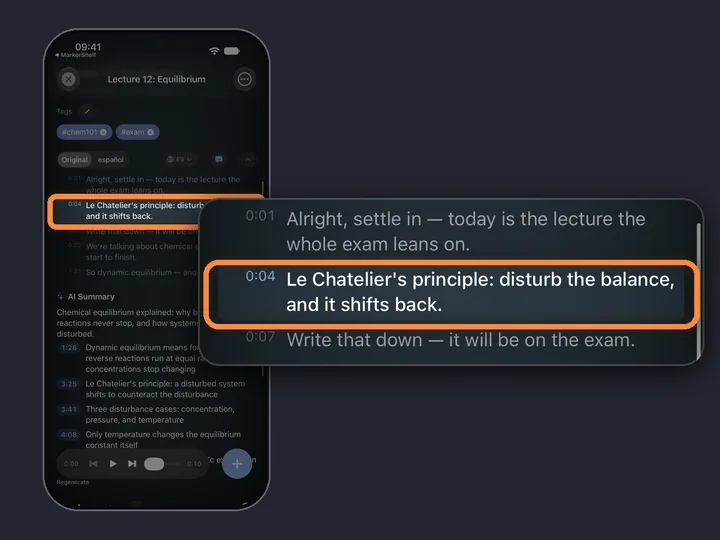
Tap Transcript — Generate. For YouTube, MarkerShelf uses the captions when there are any and speech-to-text when there aren't, which matters because many lecture uploads have no captions. Recordings from Photos or Files are transcribed on your iPhone after you confirm the spoken language. Each line has its timestamp, so the text doubles as an index of the lecture.
0:03Step 3 of 6
Summarize it with AI
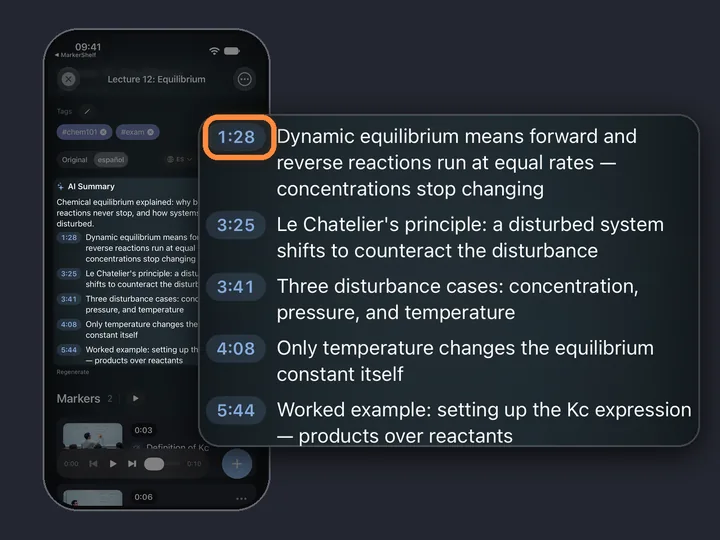
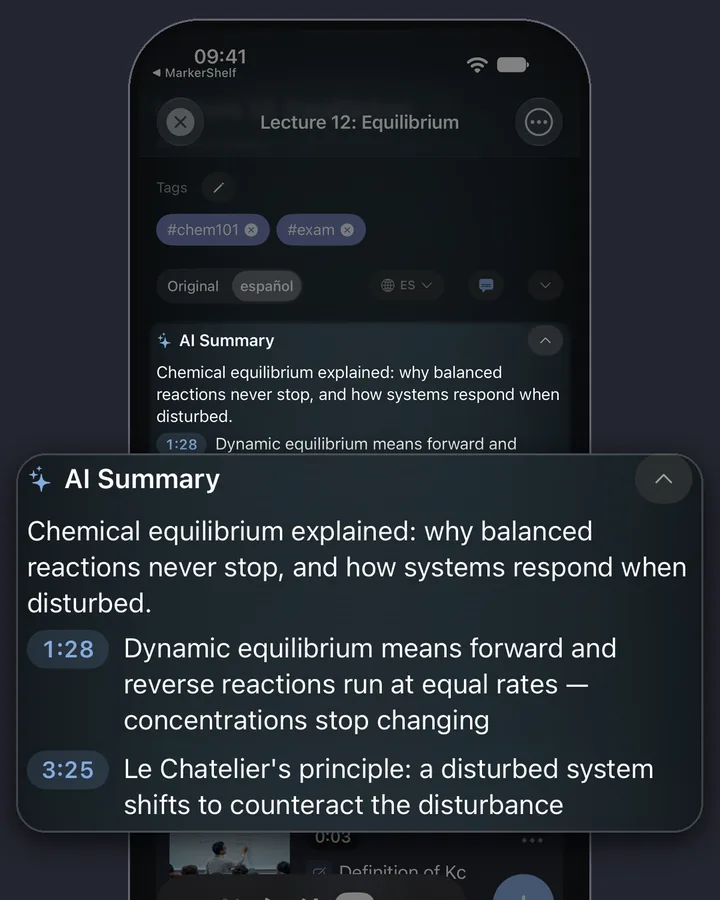
Tap Summarize with AI. The summary is a one-sentence TL;DR plus 3 to 6 key points, and each point has a timestamp: tap it and the video jumps to where that topic starts. Use it as a map of the lecture before you rewatch anything.
0:04Step 4 of 6
Mark the exam topics
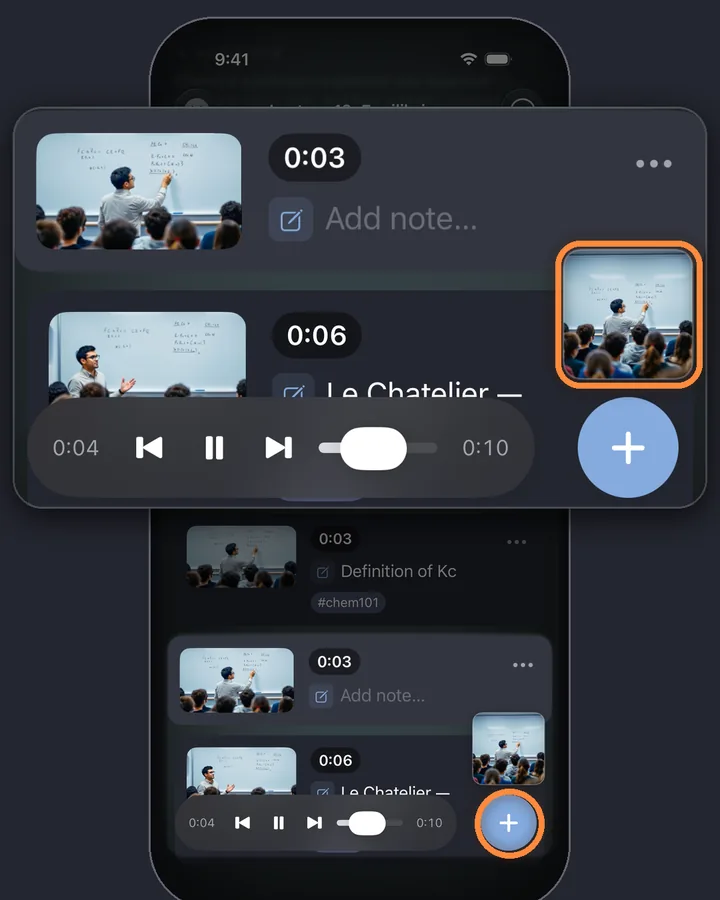
When the professor says “this will be on the exam”, tap +. The marker saves that second with a screenshot of the board or slide. Tap the small preview that pops up above + to write what was said and add a tag like #exam or #chem101. Later, tap the tag to see every exam marker in one list.
0:05Step 5 of 6 · Pro
Search every lecture by what was said
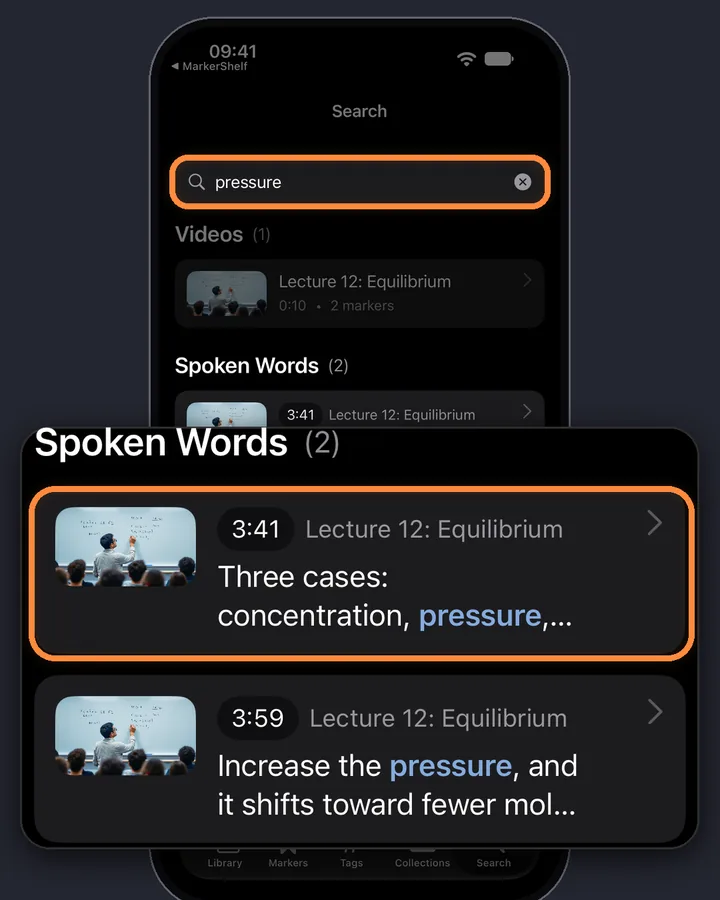
Type a word like “pressure” and MarkerShelf lists every place it was said, across all your lectures, with the time. Tap a result to jump to that sentence. This needs Pro and a transcript for each lecture.
0:06Step 6 of 6
Export your lecture notes
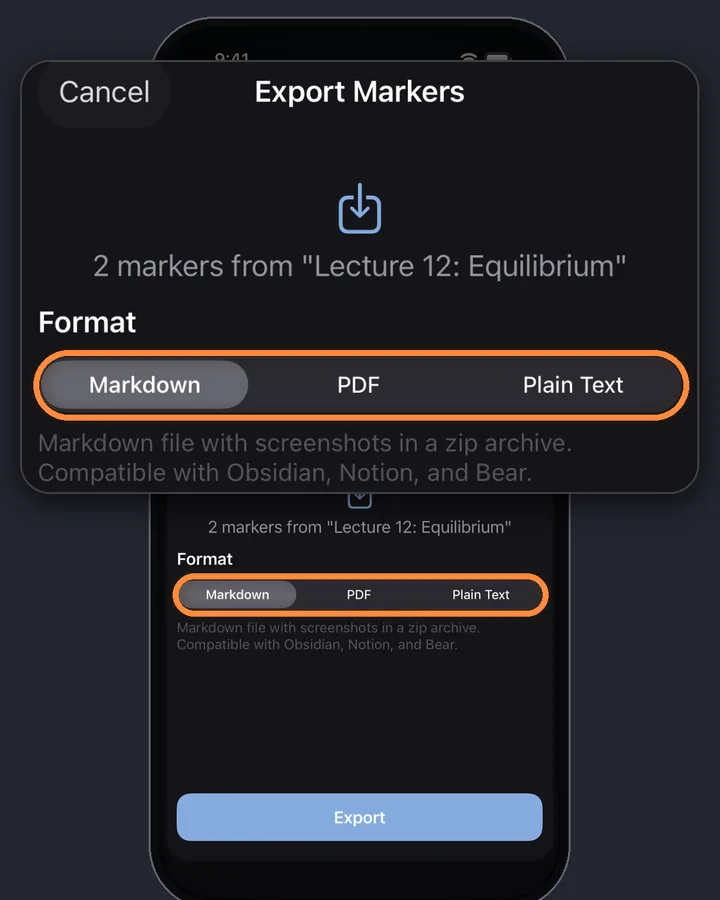
Export a lecture's markers, with their timestamps and notes, as plain text (Marker plan) or as PDF and Markdown (Pro) for Notion, Obsidian or printing. YouTube links in the export open the video at that second. The export holds your markers and notes, not the transcript or the summary.
MarkerShelf for iPhone and iPad
Never lose a moment in a video again.
Get a transcript, a summary with timestamps and markers for the exam from your lectures, on iPhone and iPad.
Free to start. No account needed.

Why lecture recordings are hard to study from
A recording keeps everything, which is the problem: the sentence that will be on the exam is somewhere in 90 minutes.
Good lecture video notes give you three things: a quick overview, the exact moments that matter, and a way to search what was said.
A quick overview
The AI summary: a one-sentence TL;DR and 3 to 6 key points, each with a timestamp you can tap.
The moments that matter
Your markers: the exact second, a screenshot of the board or slide, your note and a tag like #exam.
Search by what was said
Spoken-word search across all your lectures, with the time of every match. This needs Pro.
One collection per course
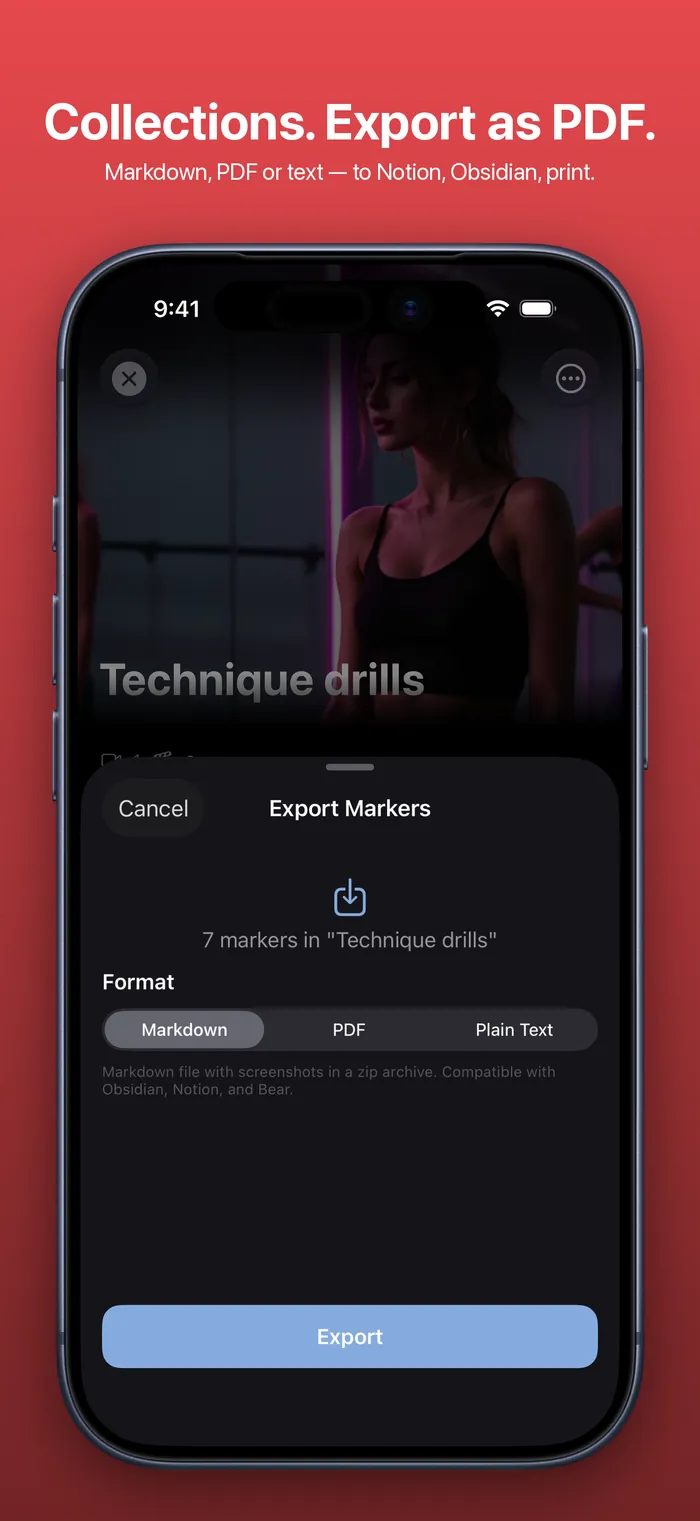
Put each course's lectures in a collection so the right videos and markers are together during exam season.
- Free and Marker: 1 collection of your own.
- Pro: unlimited collections, one per course or per exam.
- Back to back: play a collection's saved moments back to back, on every plan.
Pro
Studying in another language
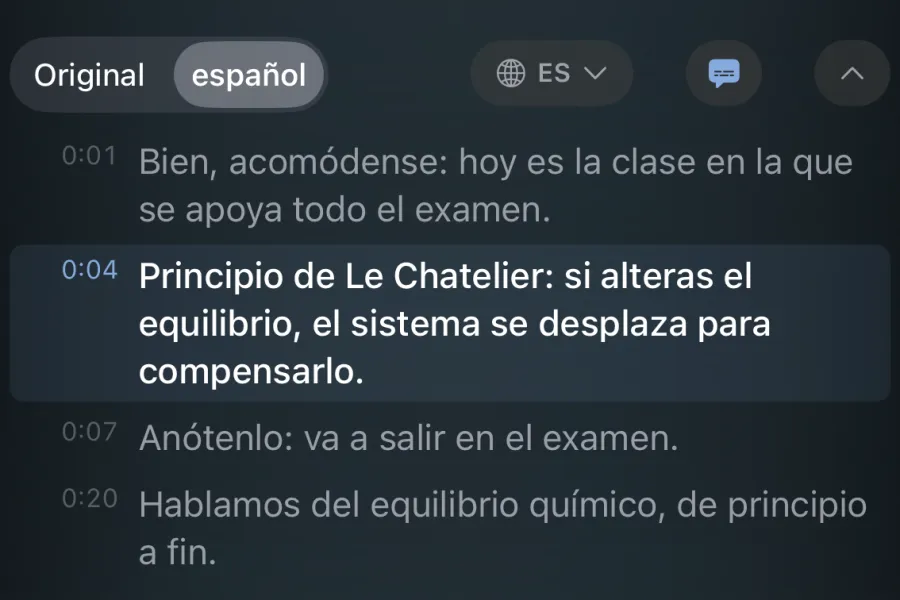
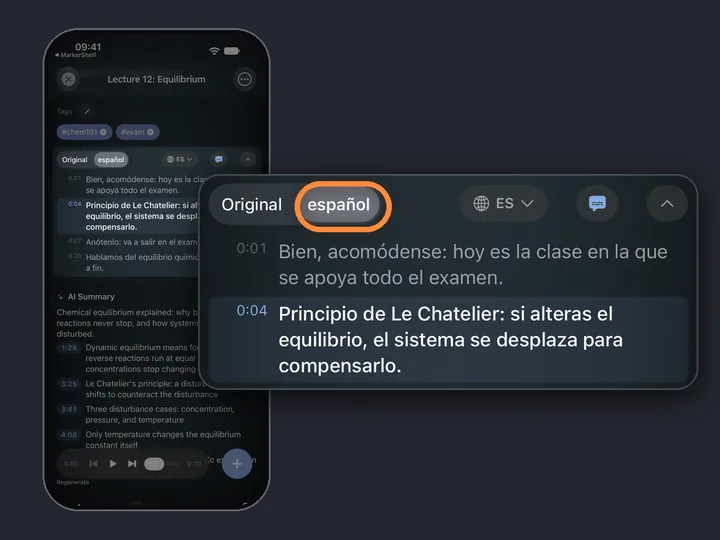
If the lecture is in a language you're still learning, Pro translates the transcript, the captions and the summary into your language. Each video has a switch between the original and the translation, so you can check the exact wording when it matters. The steps are in how to translate a YouTube video.
Limits to know
Up to 3 hours
Lectures up to 3 hours each. Live streams and private or login-only videos can't be added.
A map, not your notes
The AI summary is a TL;DR and 3 to 6 points, not a full set of notes. It's a map; your markers and notes are the study material.
Check before you learn it
AI can get things wrong. Check formulas, names and numbers against the lecture before you learn them.
Pricing
Start free. Upgrade when the free limits get in your way.
Free
$0
No account needed
- 10 videos
- 3 markers per video
- 5 tags
- 1 collection
- Search titles, notes & tags
- Transcript, summary & translation previews
Marker
$2.99/mo
Unlimited bookmarking
- Unlimited videos
- Unlimited point markers
- Unlimited tags
- 1 collection
- Text export
- 3 range markers per video
Pro
Annual
Save 40%$4.17/mo
$83.88 $49.99/yr billed annually
or $6.99/mo monthly (no trial)
- Everything in Marker
- Unlimited range markers, loops & collections
- Full transcripts, AI summary, word search & translation
- PDF, Markdown & text export
App Store prices for United States, checked Oct 20, 2026.
Questions
About lecture video notes in MarkerShelf.
Can AI summarize a lecture video?
Yes. MarkerShelf makes a transcript of the lecture first, then an AI summary: a one-sentence TL;DR and 3 to 6 key points with timestamps you can tap. It works for lectures up to 3 hours, including ones without captions. The full summary is part of Pro.
Does it work for recorded Zoom or Teams lectures?
If you can save the recording as a video file in Files or Photos, yes: MarkerShelf transcribes it on your iPhone. A recording posted publicly on YouTube or another supported platform also works. Recordings that only open behind a school or company login can't be added.
Can I search across all my lectures?
Yes, with Pro. Spoken-word search looks through the transcripts of all your videos and shows each place a word was said, with the time. Your notes and tags are searchable on every plan.
Is my lecture recording uploaded?
Recordings you add from Photos or Files are transcribed on your iPhone, so the video file isn't uploaded. If you ask for an AI summary or a translation, the transcript text (not the video) may be processed on our server. Lectures on YouTube and other platforms play from that platform; MarkerShelf doesn't download them.
Is there a student price?
There's no special student plan. The yearly Pro plan, $49.99, saves 40% compared with paying monthly and starts with a 7-day free trial. The Free plan lets you try MarkerShelf on up to 10 videos first, with a preview of each transcript and summary.
Turn your next lecture into notes.
Turn lecture videos into a transcript, a summary with timestamps and markers for the exam, from YouTube or your own recordings.