
AI video summarizer for iPhone
Summaries, transcripts and captions for videos that have none.
Share a video from YouTube, TikTok, Instagram, Facebook, X or LinkedIn, or add your own. MarkerShelf writes the transcript, shows captions over the video and sums it up with timestamps you can tap.
- YouTube
- TikTok
- X
- Photos
- Files
How it works
Three steps, from a video you are watching to a summary you can read in a minute.
-
Step 1
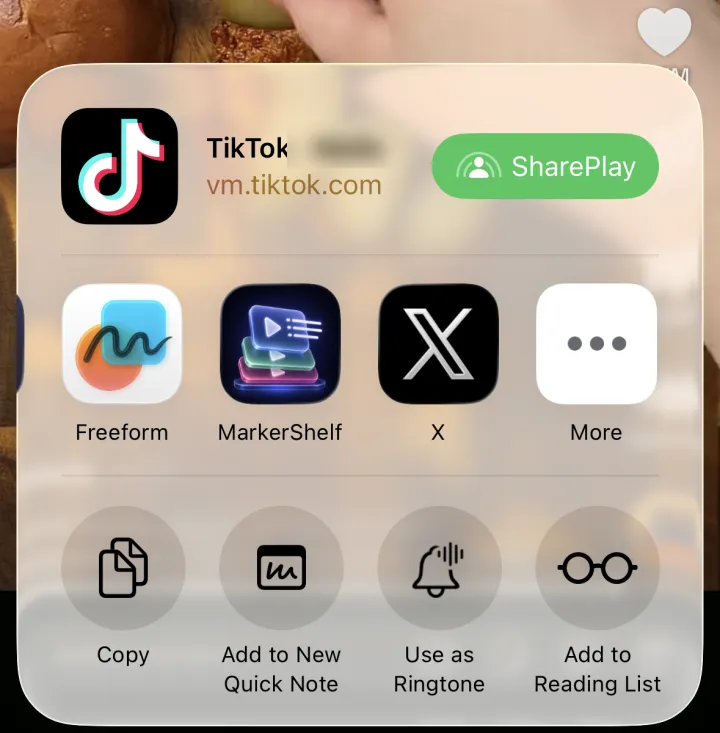
Share the video to MarkerShelf
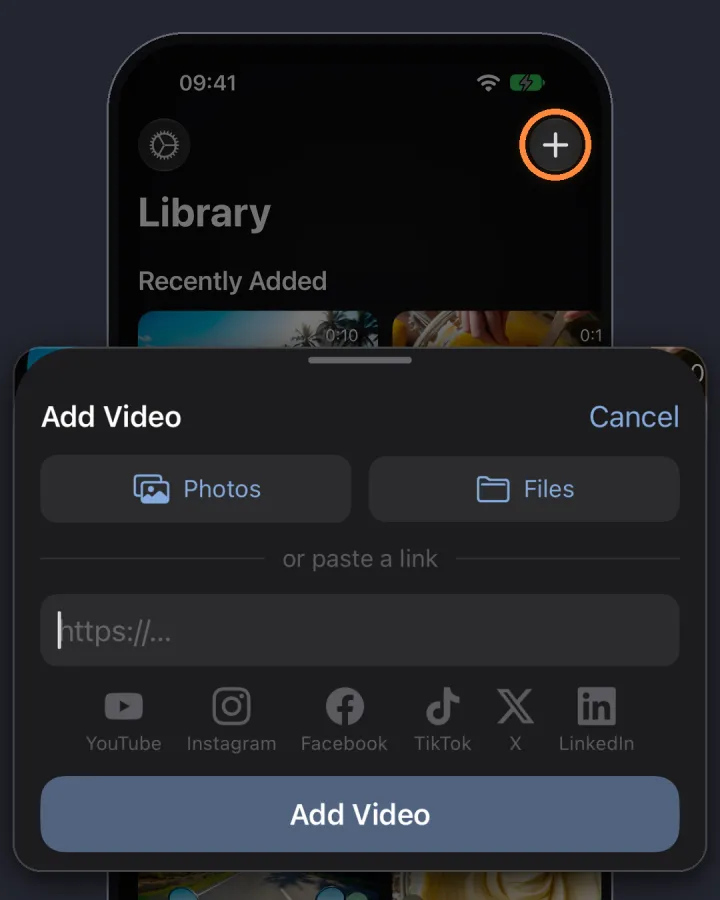
Tap Share in YouTube, TikTok, Instagram, Facebook, X or LinkedIn and pick MarkerShelf. You can also paste a link, or add your own video from Photos or Files.
-
Step 2
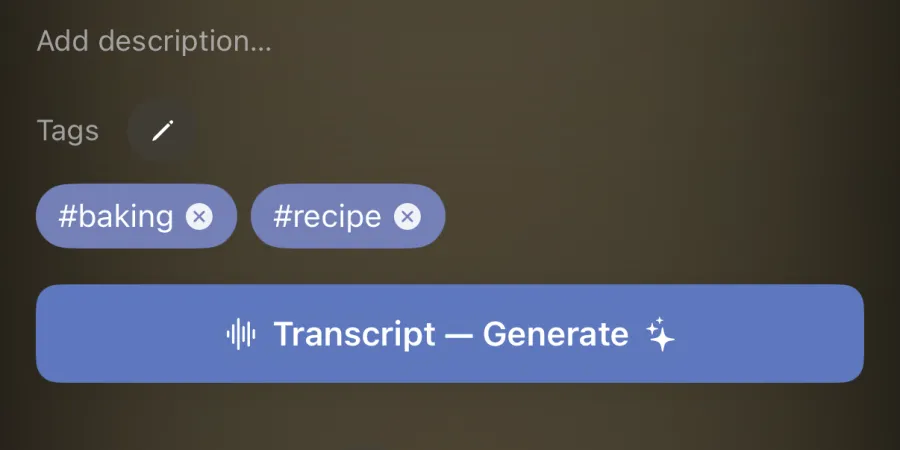
Get the transcript
Tap Transcript. MarkerShelf turns the speech into text, so it works even when the video has no captions or subtitles.
-
Step 3
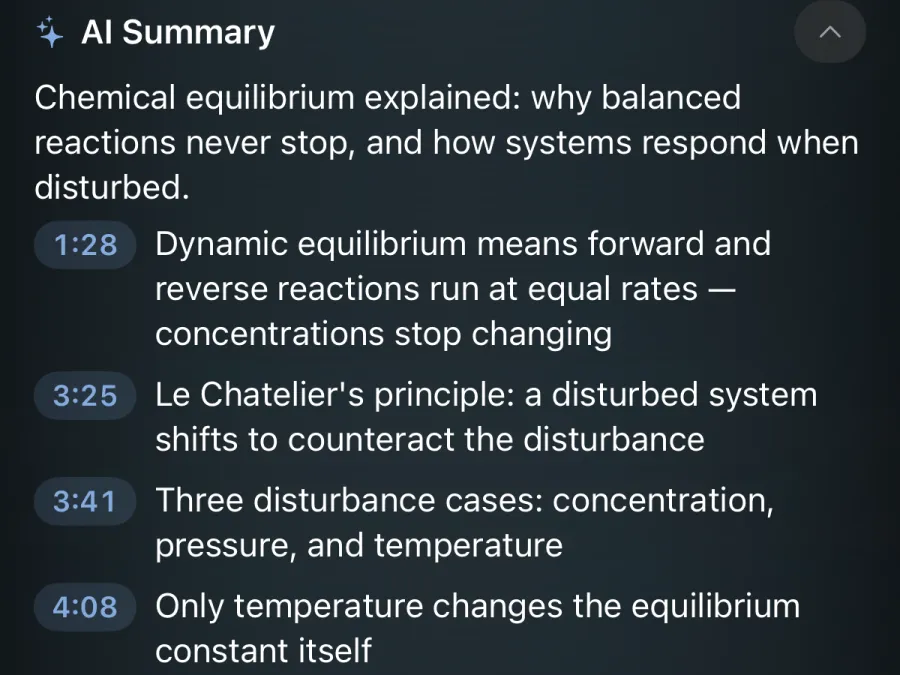
Read the summary, tap to jump
Read a one-line TL;DR and the key points. Each point has a timestamp. Tap it and the video jumps to that moment.
Captions for videos without subtitles
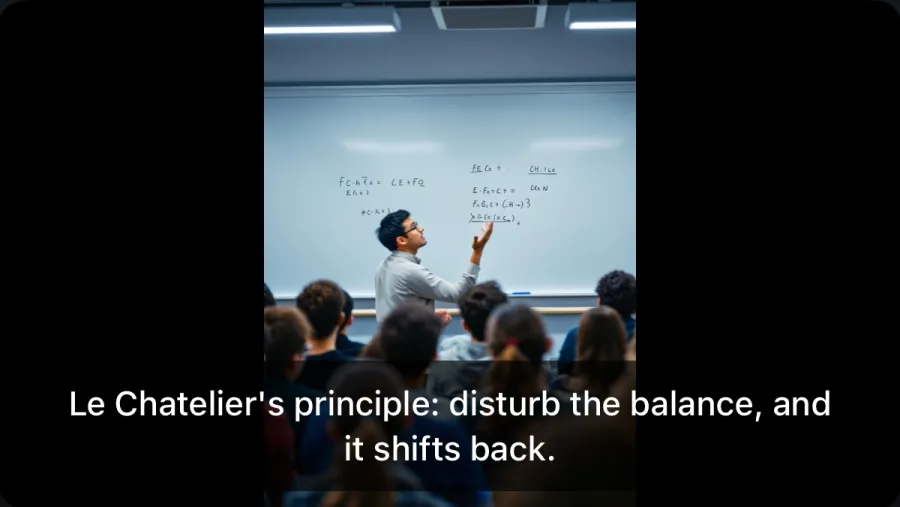
Many TikTok, Instagram and Facebook videos have no captions at all. MarkerShelf makes them from the speech and shows them over the video while it plays.
- One tap to turn on. Captions are off until you tap the captions button on a video.
- Put them where you want. Drag the caption line anywhere on the video.
- In your language. Show the captions translated, too.
- Full transcript below. The transcript follows the video and highlights the line being said. Tap any line to jump there.
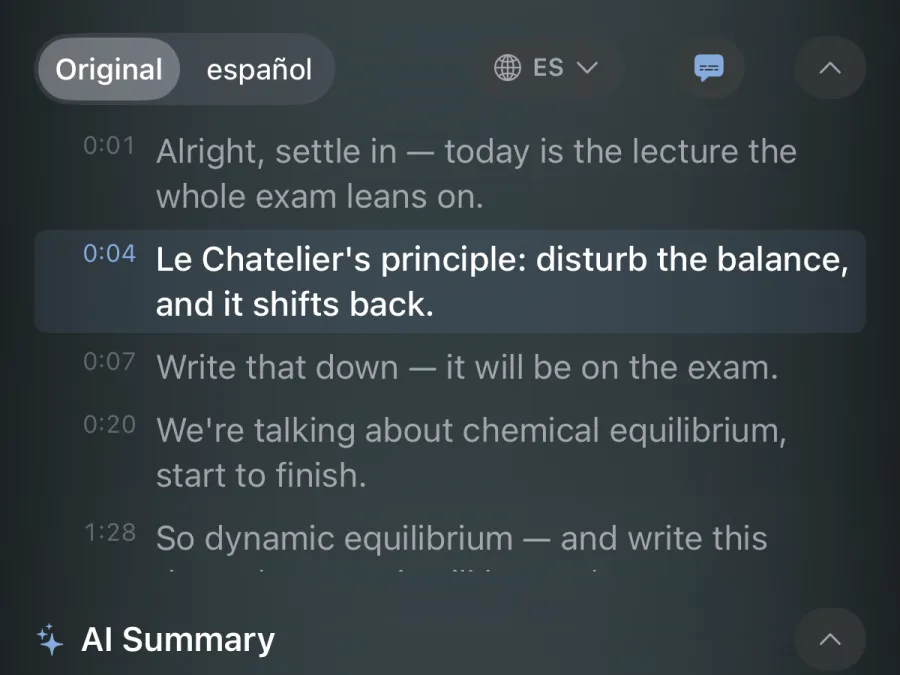
AI summary with timestamps
Get the point of a long video before you watch it, or find the part you need again.
- TL;DR first. One sentence that says what the video is about.
- 3 to 6 key points. Each one is tied to the second it was said. Tap the time to jump.
- Your language. Choose the language of the summary.
- Just one part. Mark a range in the video and tap Summarize this range to sum up only that part.
Translate transcripts, captions and summaries Pro
Watching a video in a language you don't speak well? Switch the transcript, the captions and the summary to one of 31 languages. Flip back to the original with one tap.
- Arabic
- Catalan
- Chinese (Simplified)
- Chinese (Traditional)
- Czech
- Danish
- Dutch
- English
- Finnish
- French
- German
- Greek
- Hebrew
- Hindi
- Indonesian
- Italian
- Japanese
- Korean
- Malay
- Norwegian
- Polish
- Portuguese
- Romanian
- Russian
- Slovak
- Spanish
- Swedish
- Thai
- Turkish
- Ukrainian
- Vietnamese
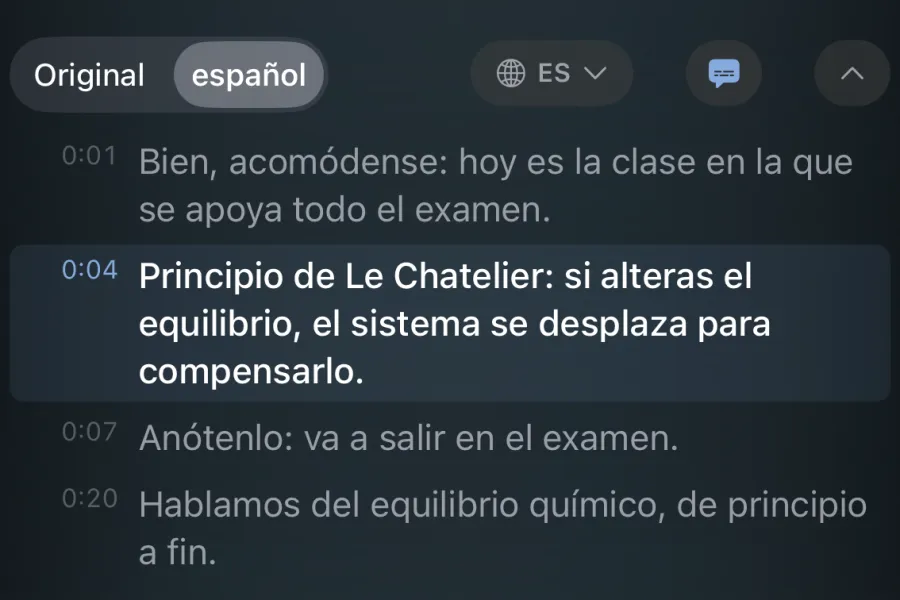
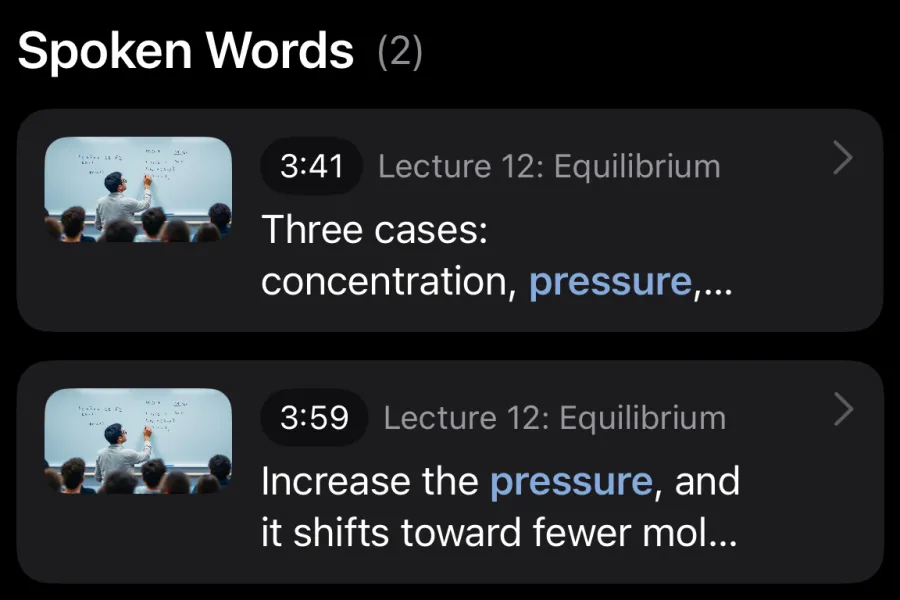
Search what was said, in every video Pro
Remember a word but not the video? Search it. MarkerShelf looks through the transcripts of all your videos and lists every place it was said. Tap a result and the video opens at that second.
- Across your whole library. Lectures, recipes, workouts, interviews.
- To the exact second. No scrubbing back and forth.
Six platforms, plus your own videos
Every source below works with videos that have no captions.
- YouTubeThe video's own captions, or speech-to-text if it has none
- TikTokSpeech-to-text
- InstagramSpeech-to-text
- FacebookSpeech-to-text
- XThe video's own captions, or speech-to-text if it has none
- LinkedInThe video's own captions, or speech-to-text if it has none
- PhotosTranscribed on your device, never uploaded
- FilesTranscribed on your device, never uploaded
Online videos must be public posts, up to 3 hours long. Private videos, posts that need you to sign in, and live streams don't work. MarkerShelf does not download online videos; they play from the original platform.
Try it free
See a preview on any video. Upgrade to Pro for the full transcript, captions and summary.
Free
$0
No account needed
- Transcript preview: the first 30 seconds
- Summary preview: one sentence
- Works with all six platforms and your own videos
Pro
Annual
Save 40%$4.17/mo
$83.88 $49.99/yr billed annually
or $6.99/mo monthly (no trial)
- Full transcripts
- Captions over the video
- AI summaries with timestamps, and range summaries
- Translation into 31 languages
- Spoken-word search across all your videos
Prices vary by region. The Marker plan ($2.99/mo) is for unlimited bookmarking and does not include full transcripts or AI summaries. All plans and features are on the home page.
Questions
How do I get a transcript or summary of a YouTube, TikTok or Instagram video on iPhone?
In the YouTube, TikTok or Instagram app, tap Share and pick MarkerShelf, or paste the link in MarkerShelf. Open the video and tap Transcript to make the transcript. The AI summary is a one-sentence TL;DR plus 3 to 6 key points, each with a timestamp you can tap to jump to that moment. Facebook, X and LinkedIn videos work the same way.
What if the video has no captions?
MarkerShelf writes the transcript from the speech. For YouTube, X and LinkedIn it uses the video's own captions when they exist and speech-to-text when they don't. TikTok, Instagram and Facebook videos always go through speech-to-text. Videos you add from Photos or Files are transcribed on your device and are never uploaded.
Can I add subtitles to a video that doesn't have them?
Yes, inside MarkerShelf's player. Open the video and tap the captions button: a caption line appears over the video, in sync with the speech. Drag it anywhere on the video, or show it in another language. Captions are off until you turn them on for a video. They are shown in the app; MarkerShelf does not burn them into the video or export caption files.
Does MarkerShelf download the video?
No. Online videos play from the original platform. MarkerShelf saves the link, the transcript and summary, and your markers and notes, not the video file. Videos from Photos and Files stay on your device.
How long can a video be?
Up to 3 hours (180 minutes). Online videos must be public posts. Private videos, posts that need you to sign in, and live streams don't work.
Which languages can I translate into?
Transcripts, captions and summaries can be translated into 31 languages, including Spanish, French, German, Portuguese, Japanese, Korean, Chinese, Hindi and Arabic. You can also pick the language of the summary. The app itself is available in 15 languages.
Is it free?
You can try it for free: the free plan shows the first 30 seconds of the transcript and a one-sentence summary. Pro unlocks full transcripts, captions, AI summaries, translation and spoken-word search for $6.99 a month or $49.99 a year. The yearly plan starts with a 7-day free trial.
Never lose a moment in a video again.
Transcripts, captions and AI summaries for the videos you watch, on iPhone and iPad.